Installation et configuration de OCS & GLPI
Les centres d'assistances : Helpdesk
Pour commencer, vous devez comprendre l'intérêt de ce qu'on appelle le Helpdesk ou centre
d'assistance. Vous lirez la documentation à l'adresse suivante :
http://fr.wikipedia.org/wiki/Centre_d'assistance puis répondrez aux questions.
Présentation des questions
1. Qui peut faire appel à un centre d'intervention, à quel moment, pour quels problèmes,
et qui y répond ?
-
- Des utilisateurs de produits ou de services
- A tous moments par mail ou via le web. Cependant, il faut respecter une plage horaire si c'est par téléphone.
- C'est pour n'importe quel type de problème qui seront hiérarchisé par le centre d'assistance puis transmit à qui de droit (Techniciens, Entreprises, etc.).
2. En quelques mots, définissez ITIL et expliquez le lien qui existe entre ITIL et les centres d'assistance.
ITIL est un révérenciel méthodologique, il peut être utile aux centres d'assistance pour améliorer leurs rapidité ; Améliorer leurs QOS et diminuer les risques.
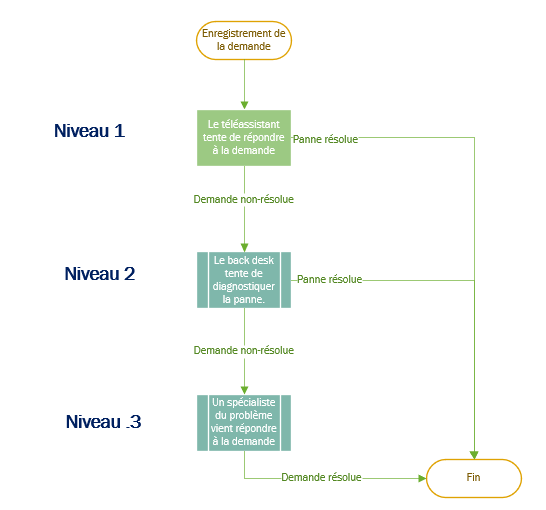
3. Retracez à l'aide d'un diagramme (diagramme de flux simple Visio) le cheminement
possible d'une question ou d'un problème informatique au travers des différents
niveaux d'intervention du helpdesk : Wikipedia.
Prérequis :
➔ mysql-server
➔ apache2
➔ php
➔ libapache2-mod-php
➔ php-mysql
Pour les prérequis, vous pouvez simplement installer mon scripte :
wget https://scripts.nehemiebarkia.fr/BASH/Installations/SSH-LAMP.sh ; bash SSH-LAMP.shInstallation de GLPI :
Changement de répertoire :
cd /var/www/html/Suppression du contenue par défaut :
rm * -rTéléchargement de GLPI :
wget https://github.com/glpi-project/glpi/releases/download/9.5.3/glpi-9.5.3.tgzExtraction de l'archive :
tar xvzf glpi-9.5.3.tgzSuppression de l'archive :
rm glpi-9.5.3.tgz
Maintenant, nous allons accéder à notre nouveau site (http://IPDUSERVEUR/glpi)
On clique sur "OK"

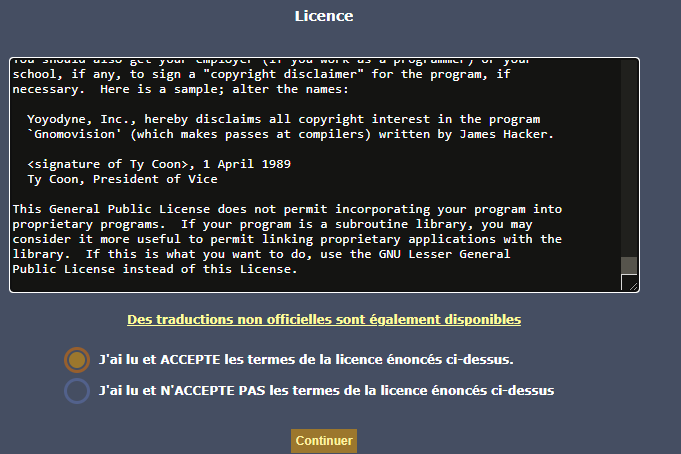
On lit la License, puis on l'accepte et enfin on clique sur "Continuer".
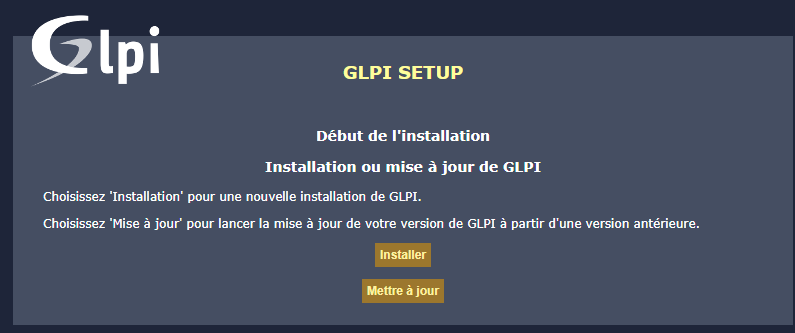
On clique sur "Installer".
Les erreurs suivantes s'affichent :
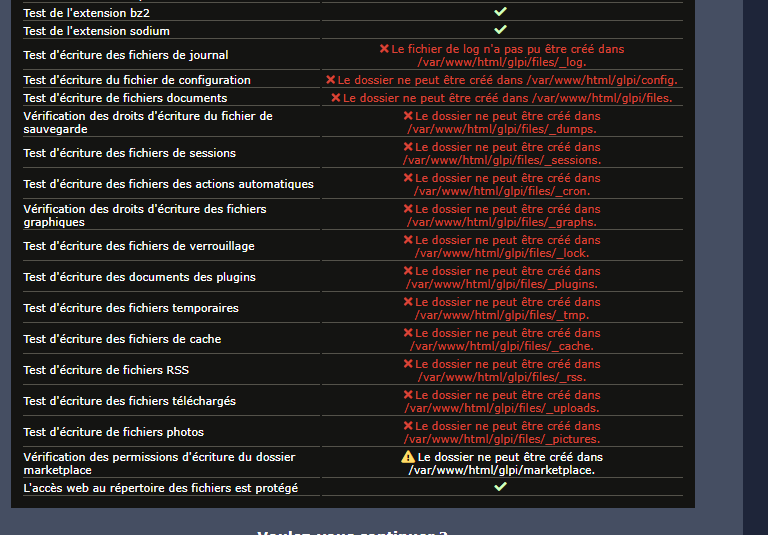
Attribution des droits sur le dossier GLPI pour l'utilisateur de PHP.
chown www-data:www-data /var/www/html/glpi -RChangement des droits pour l'accès "Autre utilisateur".
chmod 775 /var/www/html/glpi -R Activation du module de réécriture d'Apache.
a2enmod rewrite ; systemctl restart apache2Ajout des extensions PHP nécessaires.
apt-get install php-{ldap,apcu,cas} -yModification de la configuration apache.
nano /etc/apache2/sites-available/000-default.confOn y ajoute (à l'intérieur du Virtualhost) :
<Directory /var/www/html/glpi>
   Options Indexes FollowSymLinks
   AllowOverride All
   Require all granted
</Directory>
Redémarrage pour tout prendre en compte.
reboot
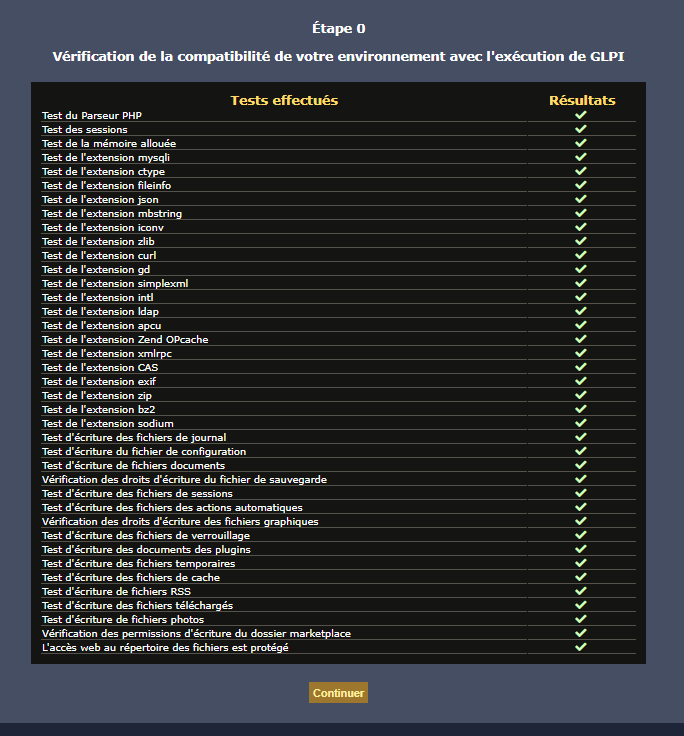
Après le redémarrage du serveur, tous les résultats sont validés.
Création d'un utilisateur et attributions des privilèges dans MariaDB.
Pour entrer dans MariaDB il suffit simplement d'écrire "mysql"
GRANT ALL PRIVILEGES ON *.* TO 'glpi'@'localhost' IDENTIFIED BY 'MYSUPERPASSWORD' WITH GRANT OPTION;
Maintenant on peut spécifier les informations suivantes dans GLPI, puis on clique sur "Continuer".
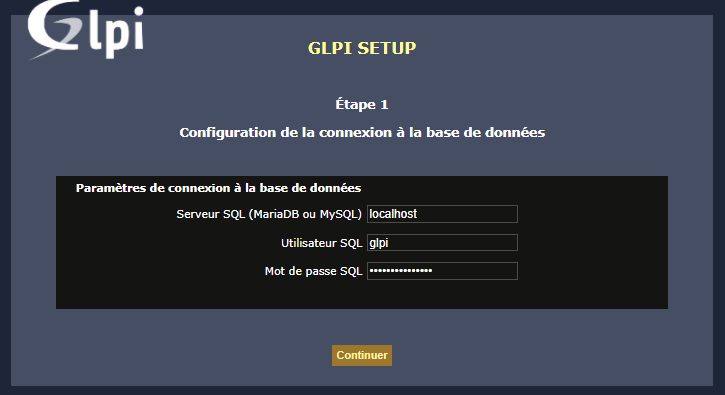
On spécifie le nom de la base de donnée puis on clique sur "Continuer".

Après avoir cliqué sur continuer, une page de chargement apparaitra. Il suffira de patienter. Puis vous pourrez vous connecter (Utilisateur : glpi ; Mot de passe : glpi).

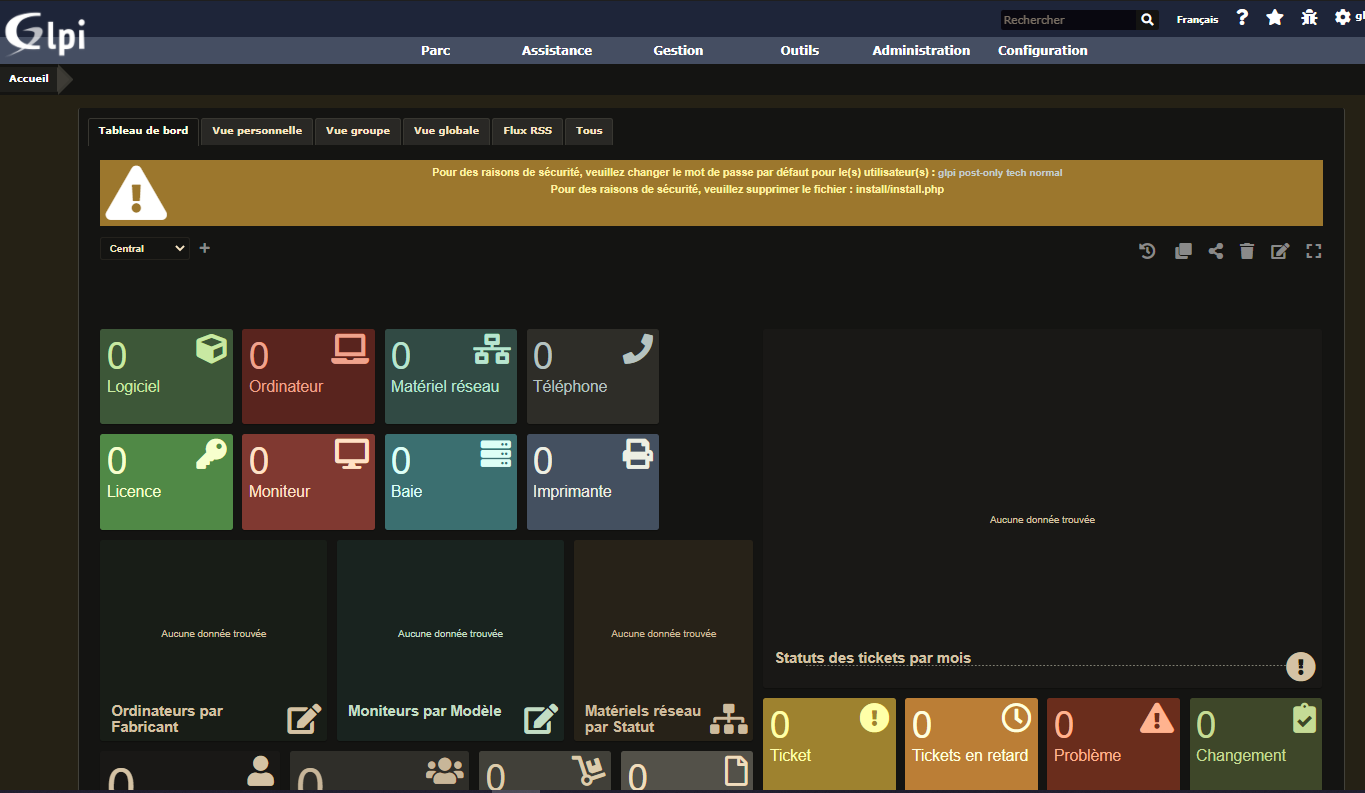
Après avoir cliqué sur "Envoyer", vous aurez accès à GLPI comme ci-dessous :
Installation d'OCS :
Changement de répertoire :
cd /usr/src Téléchargement des fichiers d'OCS.
wget https://github.com/OCSInventory-NG/OCSInventory-ocsreports/releases/download/2.8.1/OCSNG_UNIX_SERVER_2.8.1.tar.gzDécompression de l'archive.
tar -xvzf OCSNG_UNIX_SERVER_2.8.1.tar.gzCréation de l'utilisateur SQL pour OCS.
Pour entrer dans MariaDB il suffit simplement d'écrire "mysql"
GRANT ALL PRIVILEGES ON *.* TO 'ocs'@'localhost' IDENTIFIED BY 'ocs' WITH GRANT OPTION;Installation du paquet "Make".
apt install make Installation de perl et de l'extension perl pour apache.
apt install libxml-simple-perl libapache-dbi-perl libnet-ip-perl perl libapache2-mod-perl2Installation de l'extension Mojolicious pour Perl.
perl -MCPAN -e 'install Mojolicious'Installation de l'extension Switch pour Perl.
perl -MCPAN -e 'install Switch'Installation de l'extension Plack pour Perl.
perl -MCPAN -e 'install Plack'Lancement du scripte d'installation.
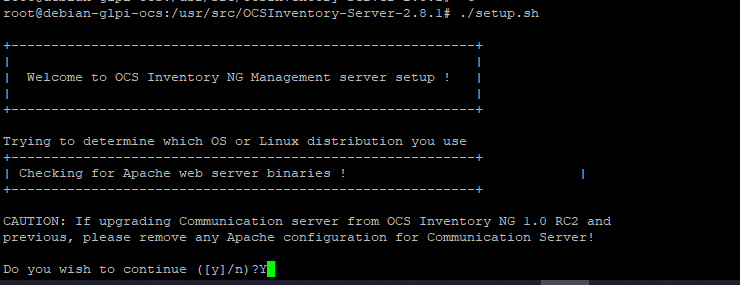
/usr/src/OCSNG_UNIX_SERVER_2.8.1/setup.shPremièrement nous répondons oui.
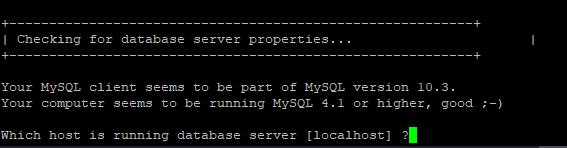
Puis on laisse "localhost".
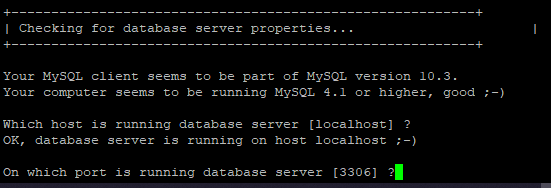
On laisse le port par défaut.
On laisse par défaut.

On ne change pas l'emplacement de la configuration d'appache.

On laisse l'utilisateur par défaut.
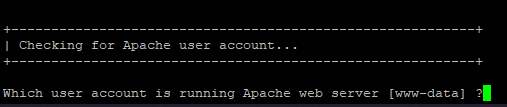
On laisse le grouoe par défaut.

Puis on laisse l'emplacement du dossier des configurations par défaut .

On laisse l'emplacement de l'interpréteur PERL par défaut.

On accepte par défaut de configurer le serveur de communication.

On laisse l'emplacement des notifications par défaut.

On laisse le fichier des plugins par défaut.

On laisse le dossier de plugins perls par défauts.

On confirme vouloir le serveur d'API Rest.
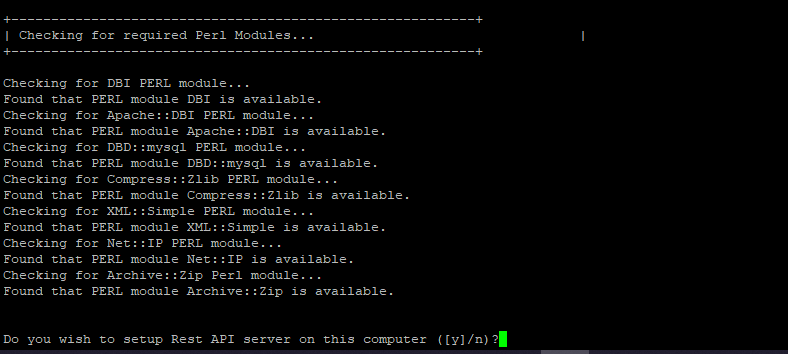
On laisse le dossier par défaut.
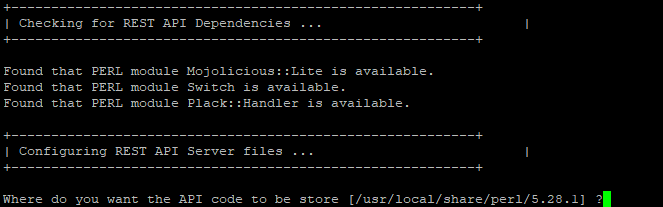
On accepte la configuration par défaut.
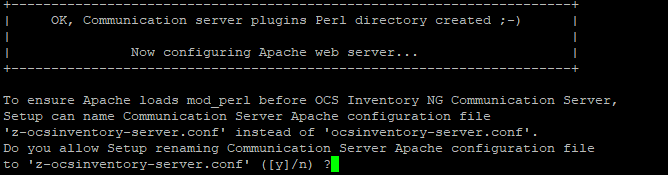
On accepte vouloir la console d'administration.
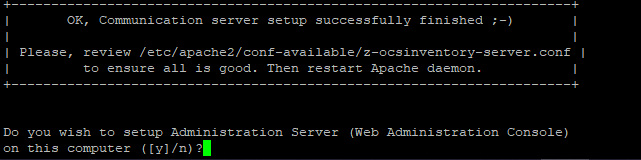
On confirme.
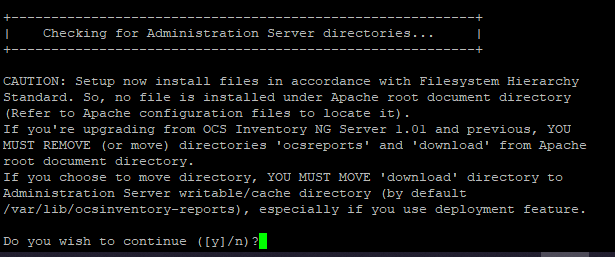
On laisse par défaut.

On laisse par défaut.

L'installation est terminée.
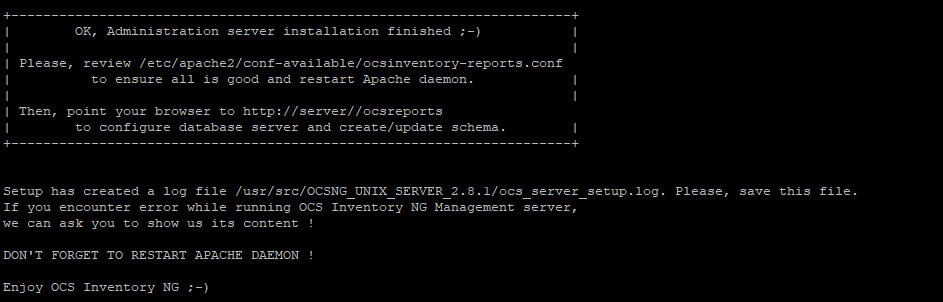
Activation des sites virtuels.
a2enconf z-ocsinventory-server
a2enconf ocsinventory-reports
systemctl restart apache2.service
Maintenant, nous allons accéder à notre nouveau site (http://IPDUSERVEUR/ocsreports)
On entre les données siovantes :
-
- Login : ocs
- Password : ocs
- Database : ocs
- Hostname : localhost
- Mysql port : 3306
- Enable SSL : NO
Puis on clique sur "send".
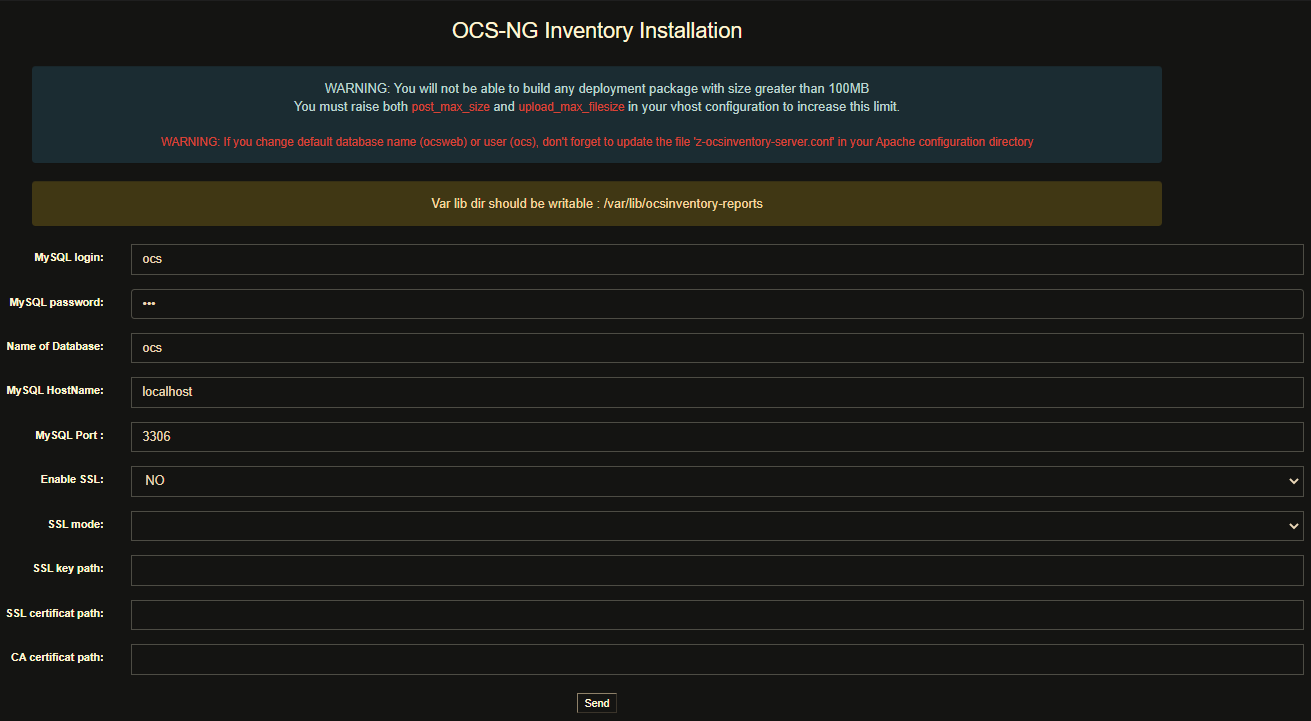
Une barre de chargement apparait (il vous suffit de patienter).
Une erreur apparait :

On entre les commandes suivantes pour corriger l'erreur.
chown www-data:www-data /var/lib/ocsinventory-reportsOn actualise et PAF ! On peut se connecter !
- Utilisateur : admin
- Mot de passe : admin

OCS est bien fonctionnel :
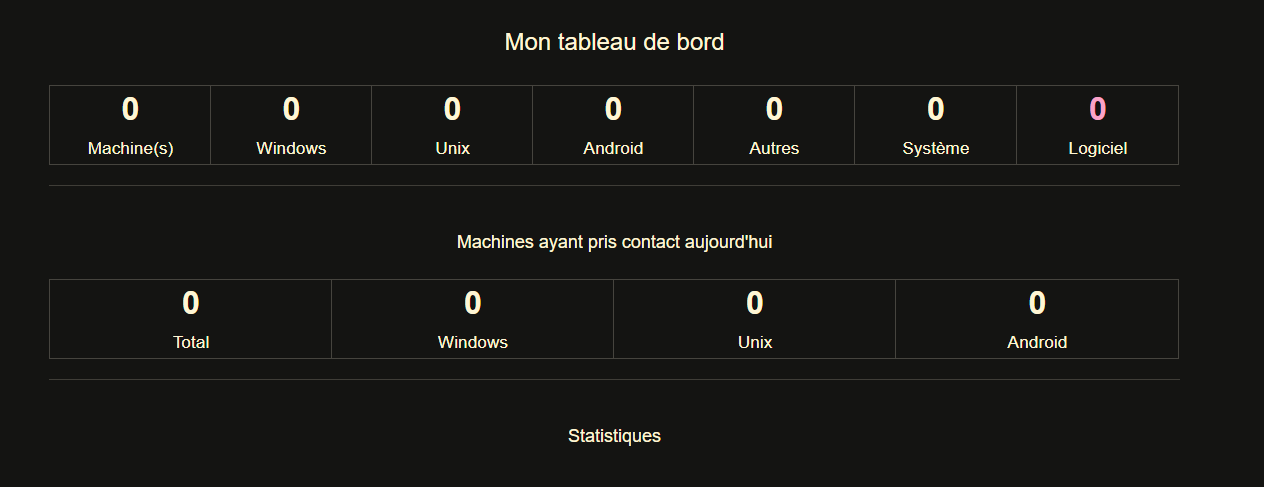
Suppression des fichiers d'installations :
rm /usr/share/ocsinventory-reports/ocsreports/install.php
rm /var/www/html/glpi/install/install.php
Tables créés par OCS (juste par curriosité) :
| Table | Moteur? | Interclassement? | Longueur des données? | Longueur de l'index? | Espace inutilisé? | Incrément automatique? | Lignes? | Commentaire? | |
|---|---|---|---|---|---|---|---|---|---|
| accesslog | InnoDB | utf8_general_ci | 16,384 | 32,768 | 0 | 1 | 0 | ||
| accountinfo | InnoDB | utf8_general_ci | 16,384 | 16,384 | 0 | 0 | |||
| accountinfo_config | InnoDB | utf8_general_ci | 16,384 | 0 | 0 | 3 | ~ 2 | ||
| archive | InnoDB | utf8_general_ci | 16,384 | 16,384 | 0 | 1 | 0 | ||
| assets_categories | InnoDB | utf8_general_ci | 16,384 | 0 | 0 | 1 | 0 | ||
| batteries | InnoDB | utf8_general_ci | 16,384 | 49,152 | 0 | 1 | 0 | ||
| bios | InnoDB | utf8_general_ci | 16,384 | 32,768 | 0 | 0 | |||
| blacklist_macaddresses | InnoDB | utf8_general_ci | 16,384 | 16,384 | 0 | 15 | ~ 14 | ||
| blacklist_serials | InnoDB | utf8_general_ci | 16,384 | 16,384 | 0 | 35 | ~ 34 | ||
| blacklist_subnet | InnoDB | utf8_general_ci | 16,384 | 16,384 | 0 | 1 | 0 | ||
| config | InnoDB | utf8_general_ci | 16,384 | 0 | 0 | ~ 67 | |||
| conntrack | MEMORY | utf8_general_ci | 0 | 0 | 0 | 0 | |||
| controllers | InnoDB | utf8_general_ci | 16,384 | 16,384 | 0 | 1 | 0 | ||
| cpus | InnoDB | utf8_general_ci | 16,384 | 16,384 | 0 | 1 | 0 | ||
| cve_search | InnoDB | utf8_general_ci | 16,384 | 0 | 0 | 0 | |||
| cve_search_correspondance | InnoDB | utf8_general_ci | 16,384 | 0 | 0 | 1 | 0 | ||
| cve_search_history | InnoDB | utf8_general_ci | 16,384 | 0 | 0 | 1 | 0 | ||
| deleted_equiv | InnoDB | utf8_general_ci | 16,384 | 16,384 | 0 | 1 | 0 | ||
| deploy | InnoDB | utf8_general_ci | 16,384 | 0 | 0 | 0 | |||
| devices | InnoDB | utf8_general_ci | 16,384 | 65,536 | 0 | 1 | 0 | ||
| devicetype | InnoDB | utf8_general_ci | 16,384 | 0 | 0 | 1 | 0 | ||
| dico_ignored | InnoDB | utf8_general_ci | 16,384 | 0 | 0 | 0 | |||
| dico_soft | InnoDB | utf8_general_ci | 16,384 | 0 | 0 | 0 | |||
| downloadwk_conf_values | InnoDB | utf8_general_ci | 16,384 | 0 | 0 | 1 | 0 | ||
| downloadwk_fields | InnoDB | utf8_general_ci | 16,384 | 0 | 0 | 11 | ~ 10 | ||
| downloadwk_history | InnoDB | utf8_general_ci | 16,384 | 0 | 0 | 1 | 0 | ||
| downloadwk_pack | InnoDB | utf8_general_ci | 16,384 | 0 | 0 | 1 | 0 | ||
| downloadwk_statut_request | InnoDB | utf8_general_ci | 16,384 | 0 | 0 | 10 | ~ 9 | ||
| downloadwk_tab_values | InnoDB | utf8_general_ci | 16,384 | 0 | 0 | 6 | ~ 5 | ||
| download_affect_rules | InnoDB | utf8_general_ci | 16,384 | 0 | 0 | 1 | 0 | ||
| download_available | InnoDB | utf8_general_ci | 16,384 | 0 | 0 | 0 | |||
| download_enable | InnoDB | utf8_general_ci | 16,384 | 16,384 | 0 | 1 | 0 | ||
| download_history | InnoDB | utf8_general_ci | 16,384 | 0 | 0 | 0 | |||
| download_servers | InnoDB | utf8_general_ci | 16,384 | 0 | 0 | 0 | |||
| drives | InnoDB | utf8_general_ci | 16,384 | 16,384 | 0 | 1 | 0 | ||
| engine_mutex | MEMORY | utf8_general_ci | 0 | 0 | 0 | 0 | |||
| engine_persistent | InnoDB | utf8_general_ci | 16,384 | 16,384 | 0 | 1 | 0 | ||
| extensions | InnoDB | utf8_general_ci | 16,384 | 0 | 0 | 0 | |||
| files | InnoDB | utf8_general_ci | 16,384 | 0 | 0 | 0 | |||
| groups | InnoDB | utf8_general_ci | 16,384 | 0 | 0 | 0 | |||
| groups_cache | InnoDB | utf8_general_ci | 16,384 | 0 | 0 | 0 | |||
| hardware | InnoDB | utf8_general_ci | 16,384 | 114,688 | 0 | 1 | 0 | ||
| hardware_osname_cache | InnoDB | utf8_general_ci | 16,384 | 16,384 | 0 | 1 | 0 | ||
| inputs | InnoDB | utf8_general_ci | 16,384 | 16,384 | 0 | 1 | 0 | ||
| itmgmt_comments | InnoDB | utf8_general_ci | 16,384 | 16,384 | 0 | 1 | 0 | ||
| javainfo | InnoDB | utf8_general_ci | 16,384 | 0 | 0 | 0 | |||
| journallog | InnoDB | utf8_general_ci | 16,384 | 16,384 | 0 | 1 | 0 | ||
| languages | InnoDB | utf8_general_ci | 16,384 | 0 | 0 | 0 | |||
| locks | MEMORY | utf8_general_ci | 0 | 0 | 0 | 0 | |||
| memories | InnoDB | utf8_general_ci | 16,384 | 16,384 | 0 | 1 | 0 | ||
| modems | InnoDB | utf8_general_ci | 16,384 | 16,384 | 0 | 1 | 0 | ||
| monitors | InnoDB | utf8_general_ci | 16,384 | 16,384 | 0 | 1 | 0 | ||
| netmap | InnoDB | utf8_general_ci | 16,384 | 32,768 | 0 | 0 | |||
| networks | InnoDB | utf8_general_ci | 16,384 | 81,920 | 0 | 1 | 0 | ||
| network_devices | InnoDB | utf8_general_ci | 16,384 | 16,384 | 0 | 1 | 0 | ||
| notification | InnoDB | utf8_general_ci | 16,384 | 0 | 0 | 4 | ~ 3 | ||
| notification_config | InnoDB | utf8_general_ci | 16,384 | 0 | 0 | 1 | 0 | ||
| operators | InnoDB | utf8_general_ci | 16,384 | 0 | 0 | 0 | |||
| ports | InnoDB | utf8_general_ci | 16,384 | 16,384 | 0 | 1 | 0 | ||
| printers | InnoDB | utf8_general_ci | 16,384 | 16,384 | 0 | 1 | 0 | ||
| prolog_conntrack | MEMORY | utf8_general_ci | 0 | 0 | 0 | 1 | 0 | ||
| regconfig | InnoDB | utf8_general_ci | 16,384 | 16,384 | 0 | 1 | 0 | ||
| registry | InnoDB | utf8_general_ci | 16,384 | 32,768 | 0 | 1 | 0 | ||
| registry_name_cache | InnoDB | utf8_general_ci | 16,384 | 16,384 | 0 | 1 | 0 | ||
| registry_regvalue_cache | InnoDB | utf8_general_ci | 16,384 | 16,384 | 0 | 1 | 0 | ||
| repository | InnoDB | utf8_general_ci | 16,384 | 16,384 | 0 | 1 | 0 | ||
| saas | InnoDB | utf8_general_ci | 16,384 | 0 | 0 | 0 | |||
| saas_exp | InnoDB | utf8_general_ci | 16,384 | 0 | 0 | 1 | 0 | ||
| save_query | InnoDB | utf8_general_ci | 16,384 | 0 | 0 | 1 | 0 | ||
| schedule_WOL | InnoDB | utf8_general_ci | 16,384 | 0 | 0 | 1 | 0 | ||
| sim | InnoDB | utf8_general_ci | 16,384 | 16,384 | 0 | 1 | 0 | ||
| slots | InnoDB | utf8_general_ci | 16,384 | 16,384 | 0 | 1 | 0 | ||
| snmp_communities | InnoDB | utf8_general_ci | 16,384 | 0 | 0 | 1 | 0 | ||
| snmp_configs | InnoDB | utf8_general_ci | 16,384 | 0 | 0 | 1 | 0 | ||
| snmp_labels | InnoDB | utf8_general_ci | 16,384 | 0 | 0 | 1 | 0 | ||
| snmp_links | InnoDB | utf8_general_ci | 16,384 | 0 | 0 | 1 | 0 | ||
| snmp_mibs | InnoDB | utf8_general_ci | 16,384 | 0 | 0 | 1 | 0 | ||
| snmp_types | InnoDB | utf8_general_ci | 16,384 | 0 | 0 | 1 | 0 | ||
| software | InnoDB | utf8_general_ci | 16,384 | 65,536 | 0 | 1 | 0 | ||
| softwares_name_cache | InnoDB | utf8_general_ci | 16,384 | 16,384 | 0 | 1 | 0 | ||
| software_categories | InnoDB | utf8_general_ci | 16,384 | 0 | 0 | 1 | 0 | ||
| software_category_exp | InnoDB | utf8_general_ci | 16,384 | 16,384 | 0 | 1 | 0 | ||
| software_name | InnoDB | utf8_general_ci | 16,384 | 16,384 | 0 | 1 | 0 | ||
| software_publisher | InnoDB | utf8_general_ci | 16,384 | 16,384 | 0 | 2 | 0 | ||
| software_version | InnoDB | utf8_general_ci | 16,384 | 16,384 | 0 | 2 | 0 | ||
| sounds | InnoDB | utf8_general_ci | 16,384 | 16,384 | 0 | 1 | 0 | ||
| ssl_store | InnoDB | utf8_general_ci | 16,384 | 0 | 0 | 1 | 0 | ||
| storages | InnoDB | utf8_general_ci | 16,384 | 16,384 | 0 | 1 | 0 | ||
| subnet | InnoDB | utf8_general_ci | 16,384 | 16,384 | 0 | 0 | |||
| tags | InnoDB | utf8_general_ci | 16,384 | 32,768 | 0 | 0 | |||
| temp_files | InnoDB | utf8_general_ci | 16,384 | 0 | 0 | 1 | 0 | ||
| unixusers | InnoDB | utf8_bin | 16,384 | 0 | 0 | 1 | 0 | ||
| usbdevices | InnoDB | utf8_general_ci | 16,384 | 16,384 | 0 | 1 | 0 | ||
| videos | InnoDB | utf8_general_ci | 16,384 | 16,384 | 0 | 1 | 0 | ||
| virtualmachines | InnoDB | utf8_general_ci | 16,384 | 16,384 | 0 | 1 | 0 | ||
| 95 au total |
Installation du plugin pour lier OCS à GLPI :
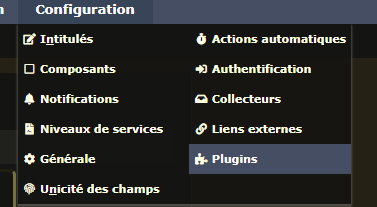
Sur GLPI, nous allons aller sur le menu "Configuration" puis cliquer sur "Plugin" comme ci-dessous :
Puis GLPI nous propose de passer au tout nouveau marketplace. Nous cliquons sur "Oui".
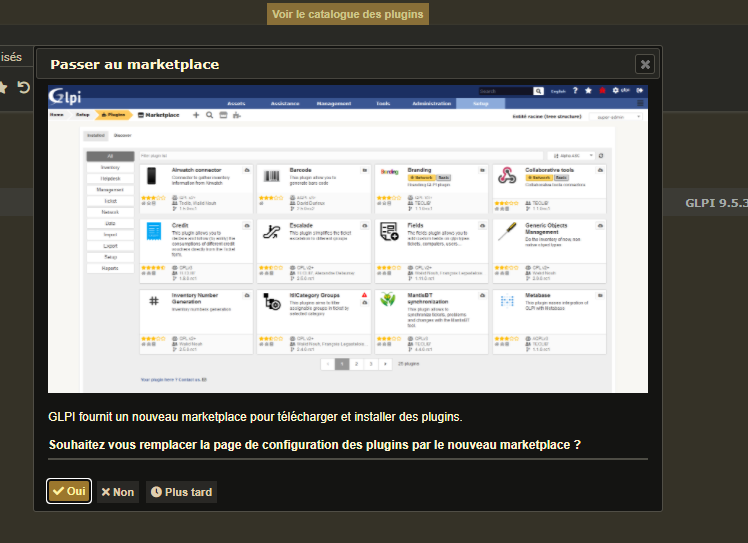
Après avoir cliqué sur "Oui" on voit la liste des plugins fonctionnels à GLPI :
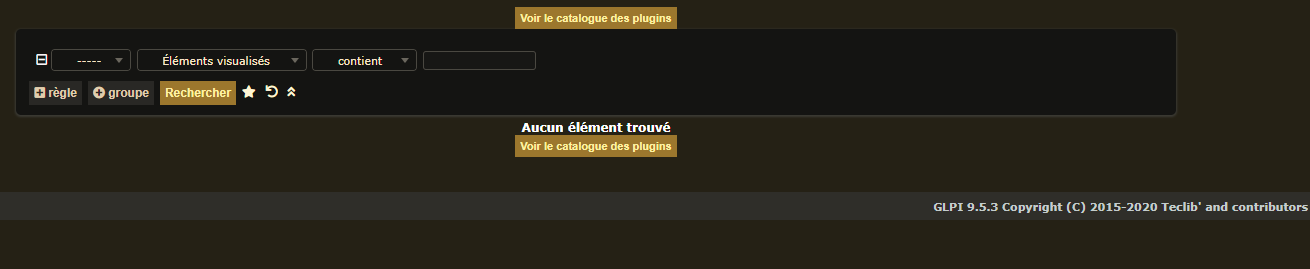
Cette liste est vide car nous n'avons pas ajouté de plugin.
Nous nous rendons dans le dossier des plugins de GLPI
cd /var/www/html/glpi/pluginsPuis nous téléchargeons le plugin qui sert à lier OCS à GLPI.
wget https://github.com/pluginsGLPI/ocsinventoryng/releases/download/1.7.3/glpi-ocsinventoryng-1.7.3.tar.gzEn suite on décompresse l'archive :
tar -xf glpi-ocsinventoryng-1.7.3.tar.gz
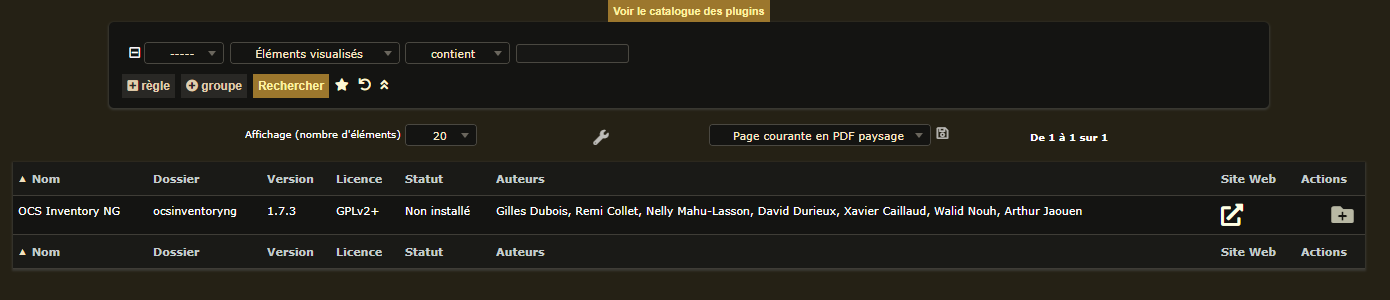
Maintenant nous pouvons actualiser GLPI ; Nous constatons que le plugin apparait dans la liste.