
Installer un serveur Prometheus
Installation des paquets nécessaires :
apt-get install wget tar -yCréation du fichier Prometheus :
mkdir /etc/prometheusChangement de répertoire :
cd /etc/prometheus/Téléchargement de l'archive :
wget https://github.com/prometheus/prometheus/releases/download/v2.26.0/prometheus-2.26.0.linux-amd64.tar.gzExtraction de l'archive :
tar xvfz prometheus-*.tar.gz
mv prometheus-2.26.0.linux-amd64/* .
rm prometheus-2.26.0.linux-amd64/ -r
rm prometheus-2.26.0.linux-amd64.tar.gz
Remplir le fichier prometheus.yml comme ci-dessous :
global:
  scrape_interval:     15s # By default, scrape targets every 15 seconds.

  # Attach these labels to any time series or alerts when communicating with
  # external systems (federation, remote storage, Alertmanager).
  external_labels:
    monitor: 'codelab-monitor'

# A scrape configuration containing exactly one endpoint to scrape:
# Here it's Prometheus itself.
scrape_configs:
  # The job name is added as a label `job=<job_name>` to any timeseries scraped from this config.
  - job_name: 'prometheus'

    # Override the global default and scrape targets from this job every 5 seconds.
    scrape_interval: 5s

    static_configs:
      - targets: ['172.31.65.70:9090']
Démarrage de prometheus :
./prometheus --config.file=prometheus.ymlOn se rend sur le site web http://172.31.65.70:9090/graph :
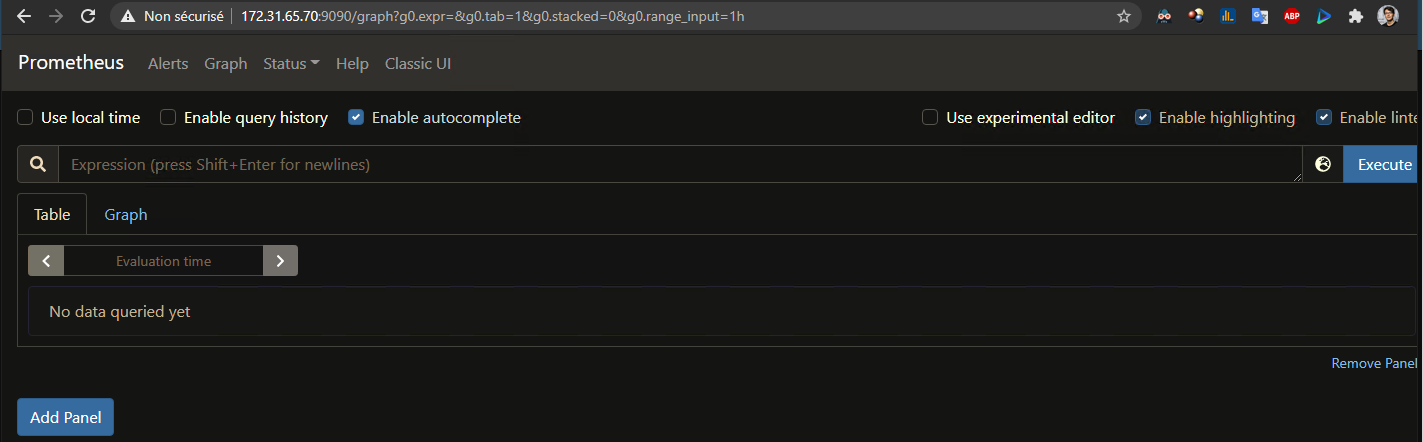
Installation de node exporter :
mkdir /etc/prometheus/
cd /etc/prometheus
wget https://github.com/prometheus/node_exporter/releases/download/v*/node_exporter-*.*-amd64.tar.gz
tar xvfz node_exporter-*.*-amd64.tar.gz
cd node_exporter-*.*-amd64
./node_exporter