
Mise en place d'un serveur Traefik (Reverse Proxy)
Prérequits :
Premièrement, à des fins de tests, nous allons générer l'image docker suivante :
Dockefile:
# Docker Who display him name
#
# Created by : Néhémie Barkia
# Last Update : 26/12/2023
#
# PRÉREQUITS
FROM debian:latest
RUN apt-get update -y
RUN apt-get install apache2 php php-pdo php-mbstring php-mysql php-json php-common git -y
RUN apt-get clean
# INSTALLATION WEB
RUN rm /var/www/html/* -r
# Insertion des informations de connexion dans les fichiers de Fix
RUN echo "<?php" >> /var/www/html/index.php
RUN echo "\$h = getenv('HOSTNAME');" >> /var/www/html/index.php
RUN echo "echo \$h" >> /var/www/html/index.php
RUN echo "?>" >> /var/www/html/index.php
#
WORKDIR /app
VOLUME /app/logs
EXPOSE 80
CMD ["/usr/sbin/apache2ctl", "-D", "FOREGROUND"]
Création de l'image :
docker build -t web_name .Nous venons de créer une image nommée web_name. C'est un serveur web qui renvoie simplement le nom du conteneur qui l'execute.
Modification du fichier HOSTS de linux :
127.0.1.1 traefik.localhost web.traefik.localhostInstallation et configuration de traefik :
/srv/traefik.toml :
[entryPoints]
  [entryPoints.http]
  address = ":80"
  [entryPoints.https]
  address = ":443"

[api]

[providers.docker]
  endpoint = "unix:///var/run/docker.sock"
docker-compose.yml :
version: '3'

services:
  reverse-proxy:
    image: traefik:v2.9
    command: --api.insecure=true --providers.docker
    ports:
      - "80:80"
      - "8080:8080"
    volumes:
      - /srv/traefik.toml:/etc/traefik/traefik.toml
      - /var/run/docker.sock:/var/run/docker.sock
    labels:
      - "traefik.http.routers.api.rule=Host(`traefik.localhost`)"
      - "traefik.http.routers.api.service=api@internal"
      - "traefik.http.routers.api.entrypoints=http"


  web:
    image: web_name
    ports:
      - "8081-8181:80"
    labels:
      - "traefik.enable=true"
      - "traefik.http.routers.web.rule=Host(`web.traefik.localhost`)"
      - "traefik.http.routers.web.entrypoints=http"
Création de l'infrastructure :
docker-compose upAugmentation du nombre de serveurs :
docker-compose scale web=10
Ici nous dupliquon neuf fois le serveur web. Vu que leurs ports sont compris dans le fichier de config du service. Ceux-ci vont être intégré dans le cluster et ainsi répondre aux requêttes envoyées à web.traefik.localhost (au travers du proxy traefik evidement).
Résultat coté utilisateur :


Dans l'interface d'administration :
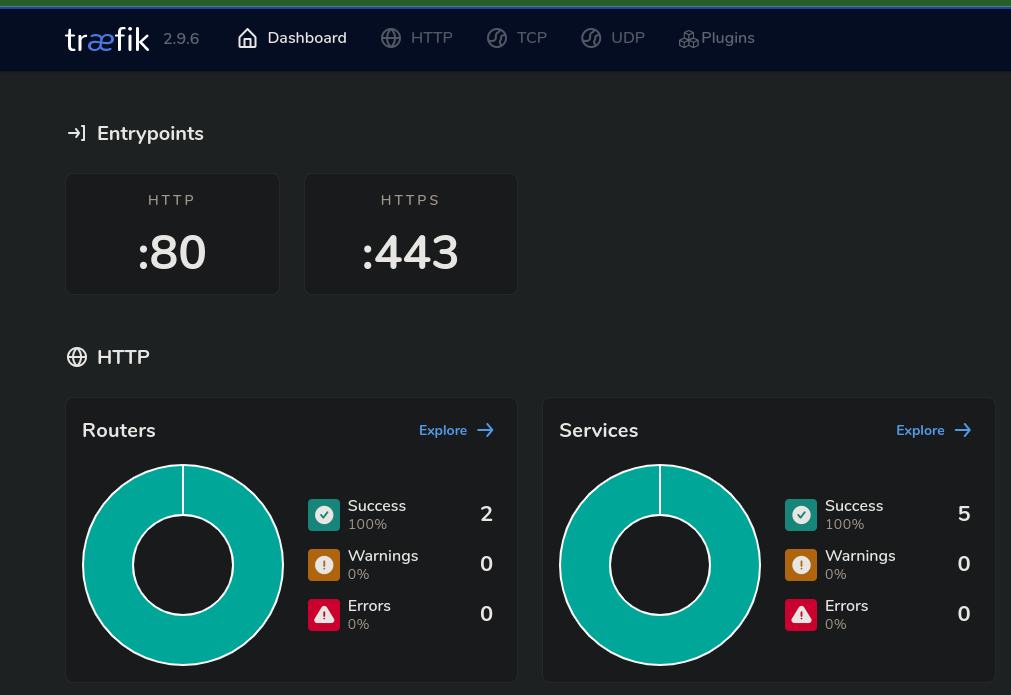
On peut afficher la liste des serveurs ratachés à un service :

On constate qu'il y a cent serveur rataché à mon cluster (si vous voulez scaler + de cent serveurs, modifier la pool de port dans le docker-compose).
No Comments